Call To Order

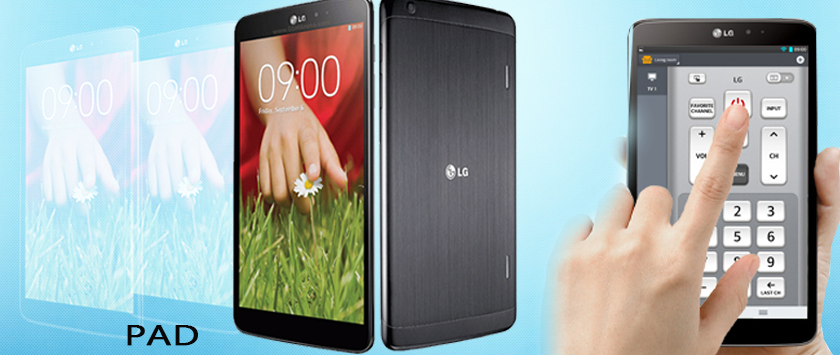
The iPad is a mobile computing device, but not a PC. Its interface works through screen gestures, not mouse clicks, and while it has Wi-Fi, it has no DVD slot or traditional USB ports. It excels at multimedia, has two built-in cameras and supports traditional Web and email. Knowing its functions can help you decide if the iPad is right for your business and personal needs.
Functions of an ipad
- Media Center
The iPad functions as a complete media center, including a photo and video organizer and music player. IPads available as of September 2012 have up to 64 GB of flash memory, capable of storing thousands of photos, days of music and dozens of high-definition movies. Software available through the App Store performs sophisticated editing for videos and photos taken with the iPad's high-definition camera; other apps serve as portable music studios, sequencing, mixing, editing and applying effects to audio files. In addition, you can use the iPad to read electronic editions of thousands of books, magazines and newspapers. The "Newsstand" app receives subscriptions of electronic periodicals automatically.
- Web Browser
The built-in Safari browser and editions of Chrome, Firefox and Opera from the App Store give the iPad complete Web-browsing capabilities. Its large 9.7-inch diagonal screen size displays pages clearly; swiping and pinching finger gestures simplify scrolling through content. Web browsers on the iPad are full-featured applications, including multiple tabs, favorites, browsing history and automatic pop-up blockers. Safari includes a built-in "Reader" function that automatically simplifies article pages, removing ads and other graphical clutter and presenting you with easy-to-read content.
- Message Hub
Text messaging and email apps for the iPad connect with your personal and business accounts and help organize your electronic correspondence. The email app interfaces with standard Simple Mail Transfer Protocol, or SMTP, email accounts, Microsoft Exchange, Apple's iCloud and others. You can set the iPad up as an email hub, managing messages from several accounts in one place. The app has a built-in document viewer for attachments such as PDFs, PowerPoint, Excel and Word files and other types in addition to JPEG, GIF and TIFF graphics. The "Messages" app, included as part of the iPad's standard software, works through the standard Short Messaging Service, or SMS, services as well as Apple's own iMessage system. If the sender and receiver both have iPhones, iPads or iPod Touch devices, iMessage routes texts through the Internet, saving credits on your mobile service plan.
- Organizer and Planner
The iPad offers many apps for the mobile professional, including calendars, productivity managers and maps. The "Calendar" app includes alarms to remind you of appointments, and can share a group calendar through Microsoft Exchange and other services. Dozens of applications available through the App Store help you plan trips, track flights, hail taxis and communicate in foreign languages.
- Social Media Manager
Internet-based social media are becoming more important by the day to businesses, as they keep you in touch with your customers and offer sophisticated ways to promote products and services. The iOS operating system that runs the iPad integrates with Twitter accounts, letting you post messages, photos and videos easily. The "Facebook" app, available as a free download, updates your Facebook account with text and pictures.
How to buy an iPad
- Consider your ideal iPad
Most iPads' storage ranges from 16 gigabytes to 128 gigabytes (though some models, such as the iPad Pro, support up to 256 gigabytes). Similarly, most iPads on the market will support cellular data, meaning you can add the iPad to your cellphone plan and use the data from the pertinent account to access the internet in areas without wi-fi. Other aspects you'll want to consider include the following:
Size - iPad screens vary from 7.9 inches across to a whopping 12.9 inches across.
Performance - Smaller iPads, such as the iPad Mini, won't be able to process large amounts of data the same way a heftier iPad Air or iPad Pro can.
Price - iPads aren't cheap. If you're on a budget, you'll probably want to opt for an older model (e.g., one of the original iPads). Alternatively, you can buy a newer iPad Mini and sacrifice some of the performance of a larger iPad.
- Compare the different iPad models
With your ideal criteria in mind, consider the aspects of the following tablets:[1]
iPads 1, 2, 3, and 4 - The original iPads (commonly referred to as the "iPad 1/2/3/4") are no longer in factory production as of January 2017, but you can usually find them for a discounted price on Amazon, eBay, and Craigslist.[2]
iPad Minis 1, 2, 3, and 4 - The iPad Mini line of tablets have a smaller, 7.9 inch display (as opposed to the traditional 9.7 inch display). The iPad Minis 2, 3, and 4 come equipped with high-definition Retina displays.
iPad Air 1 and 2 - The Air series of iPads is a continuation of the original iPad line. They have 9.7 inch Retina displays as well as upgraded processors from the iPad Mini series.
iPad Pro (9.7 inch and 12.9 inch) - The iPad Pro line is geared towards optimal performance, making them both the fastest-operating and the most expensive iPads on the market. Both the 9.7 inch and the 12.9 inch models have Retina displays, though the 9.7 inch model is the only iPad that can record video in 4K definition.
- Decide if you need cellular service
The iPad 3 and all subsequent models of iPad have cellular counterparts, though they tend to be slightly more expensive. Cellular service means that you will be able to connect to the internet as long as you have a cellular signal. If you want cellular service, you will need to sign up for a data plan with a carrier that supports the iPad.[3]
All iPads have wi-fi capabilities, which allow you to connect to any wireless network that you have the password for. Purchasing an iPad with cellular capabilities does not mean you'll lose wi-fi capabilities.
- Think about storage
Most models have several different storage options available, which is the main feature that dictates the prices of the iPad. Most iPads released up until late 2012 (iPad 3 and iPad Mini) come in 16, 32, and 64 gigabyte varieties. iPads released since then come in 16, 32, 64, and 128 gigabyte varieties.
The iPad Pro comes in 32, 64, 128, and 256 gigabyte varieties.
- Consider processing power
If you intend to run a lot of high-end apps (e.g., photo-editing software), you'll want to stay away from the original generation of iPads and the iPad Mini series--while the processors in these models aren't subpar by any means, the iPad Air and iPad Pro lines are built specifically for performance.
- Decide on a color
Most iPads are available in Silver/White or Gray/Black.
If you don't like your iPad's color, you can always purchase a case for it.
Kindly click on the link or the image below to place your order
https://www.deluxe.com.ng/product-category/pad
www.deluxe.com.ng
Category